
What Bettors Want to Know About Parimatch Login
Parimatch is a licensed bookmaker. The platform uses security measures such as SSL encryption to help protect user data and transactions. Players can access their accounts through the website or supported mobile solutions. The Parimatch login process is designed to provide quick access to sports betting, casino games, and other features available for your location.

Login Methods & Speed
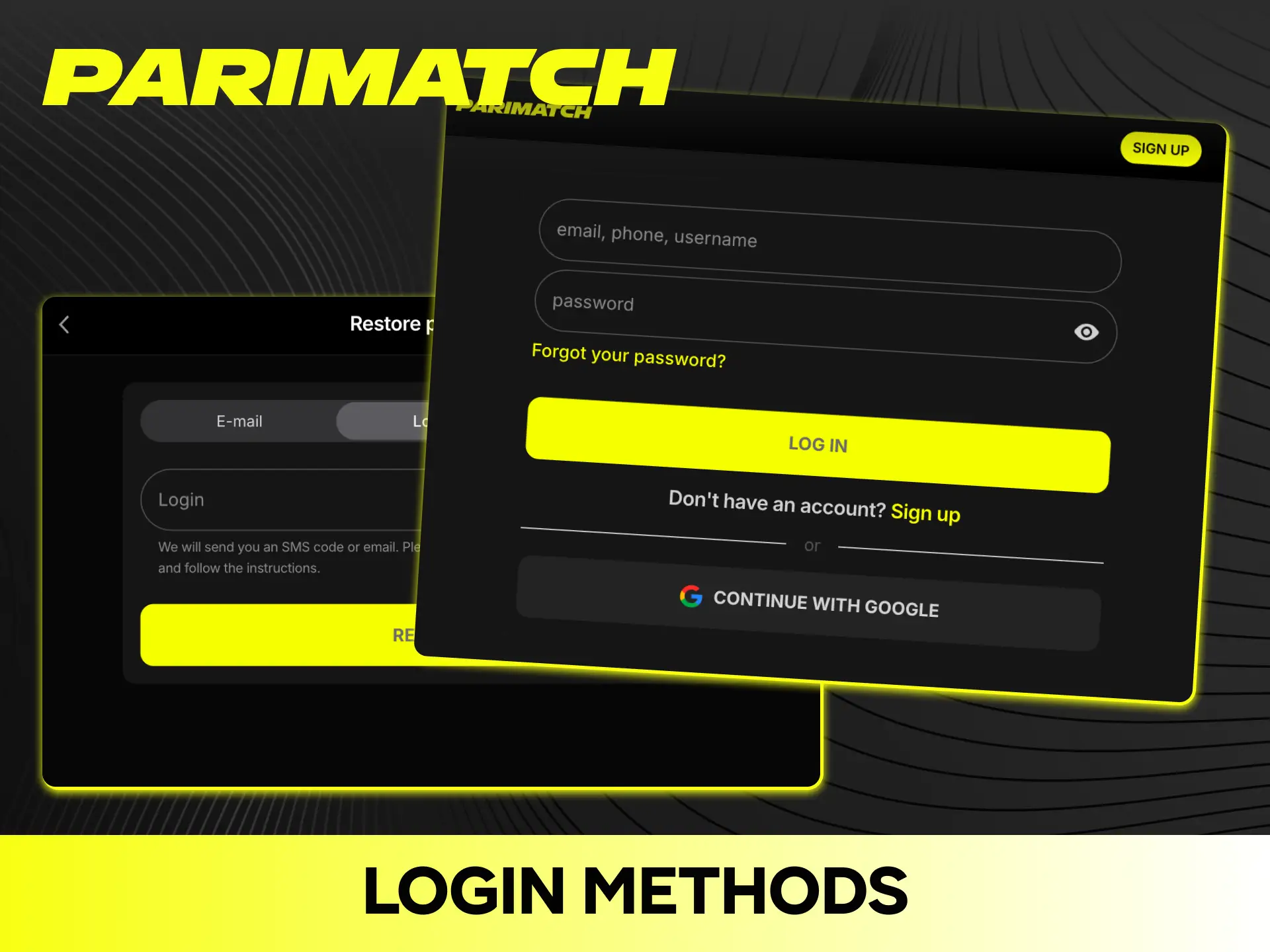
Parimatch may offer several ways to log in to your account. Available options depend on your location, account, and current platform configuration:
- Phone number login. Enter your registered phone number and password where supported;
- Email login. Use your registered email address and password;
- Social login. Sign in through a supported third-party account where this option is available;
- Biometric login. Fingerprint or Face ID may be available on supported mobile devices and app versions.
The Parimatch login process usually takes only a few seconds. You may also be able to select the “Remember me” option on supported devices. Session duration depends on your browser, device, and security settings.
Password Recovery & Account Access
If you have lost access to your Parimatch account, you can use the available account-recovery options. Many common login issues can be resolved without contacting customer support.
Password Recovery
To reset your password, click the “Forgot your password” link on the login page. Enter your registered phone number or email address and follow the instructions provided by Parimatch.
Depending on your registration method, you may receive a verification or recovery code by SMS or email. If you do not receive the code, check that your contact details are correct and request a new code.
If you have lost access to both your registered email and phone number, contact Parimatch support through an official channel.
Two-Factor Authentication
Two-factor authentication (2FA) provides an additional layer of security for your account. If supported and enabled, you may need to enter a one-time verification code after entering your password.
The availability and setup of 2FA depend on the current Parimatch platform and your location. If available, enabling additional account-security features is recommended.
Multiple Devices & Session Management
You can access your Parimatch account from supported phones, tablets, and computers. Your account information, balance, bets, and settings are associated with your account and can be accessed across supported devices.
Simultaneous Sessions
The number of simultaneous sessions and supported devices may depend on Parimatch security settings. If your account provides session-management options, you can review active sessions and log out of devices you no longer use.
Automatic Logout
Parimatch may automatically log you out after a period of inactivity or when additional security protection is triggered.
If you close the mobile app or browser, your session may remain active or require you to log in again depending on your device and security settings.
Common Login Errors & Solutions
Most problems with logging into Parimatch have simple solutions. If you cannot access your account, check the solutions below before contacting support.
Frequent Errors
Here are some common Parimatch online login problems and possible solutions:
- Incorrect username or password. Check that your login details are correct, Caps Lock is off, and there are no unnecessary spaces;
- Account temporarily blocked. Multiple unsuccessful login attempts may trigger a temporary security restriction. Wait and try again or follow the instructions displayed on screen;
- Additional verification required. Parimatch may ask you to confirm your identity or contact details before restoring access;
- Login page not loading. Clear your browser cache and cookies, try another supported browser, or use the official mobile solution where available.
Technical Problems
A slow or unstable internet connection can cause login problems. Check your connection and try again if the page takes too long to load.
You can also close unnecessary browser tabs and applications, restart your browser or app, and install available updates. If your session is interrupted when switching between Wi-Fi and mobile data, reopen the website or app and log in again.
Account Security & Verification
Parimatch uses security measures designed to protect accounts, personal information, and funds.
Account Protection
Parimatch may notify you about certain account-security events, such as suspicious activity or logins from unfamiliar devices.
If your account provides login-history or session-management features, you can use them to review account activity. Multiple unsuccessful login attempts may result in a temporary security restriction.
Additional Verification
Parimatch may request additional verification when you perform certain account or payment actions, including withdrawals or transactions that require additional security checks.
Depending on the platform and location, you may need to confirm your identity, enter a verification code, or re-enter your password.
Safe Login Practices
Always check that you are using the official Parimatch website or application before entering your login details.
Never share your password or verification codes with other people. Avoid entering your credentials on public or unfamiliar devices.
If you believe that someone has accessed your account without authorization, change your password and contact Parimatch support through an official channel.
FAQs
How Do I Log In to Parimatch?
Open the official Parimatch website or supported app. Click the “Log In” button, enter your registered phone number or email and password, then confirm.
Can I Stay Logged In on Parimatch?
You may be able to stay logged in on a trusted personal device or use the “Remember me” option where supported. Session duration depends on your browser, app, and security settings.
Why Does Parimatch Say Wrong Password?
Check that your login details are correct and that Caps Lock is disabled. If you still cannot log in, use the “Forgot Password” option to reset your credentials.
How Many Devices Can I Use to Log In?
You can access your Parimatch account from supported mobile and desktop devices. Any restrictions on simultaneous sessions depend on the platform’s current security settings.
Does Parimatch Work on Budget Android Phones?
Parimatch may work on a wide range of supported Android devices. Compatibility depends on the current app or mobile website requirements, Android version, device specifications, and available network connection.
Is It Safe to Save My Password in the Browser?
Saving your password can be acceptable on a private, trusted device using a reputable password manager or browser. Avoid saving login credentials on public or shared devices.
For better account security, use a unique password and enable additional security features such as 2FA where available.
Updated: